The Dymo Label Maker: A Complete Guide to Efficient Organization and Personalization
Key takeaways
- Dymo label makers are versatile tools for organizing and labeling in various environments.
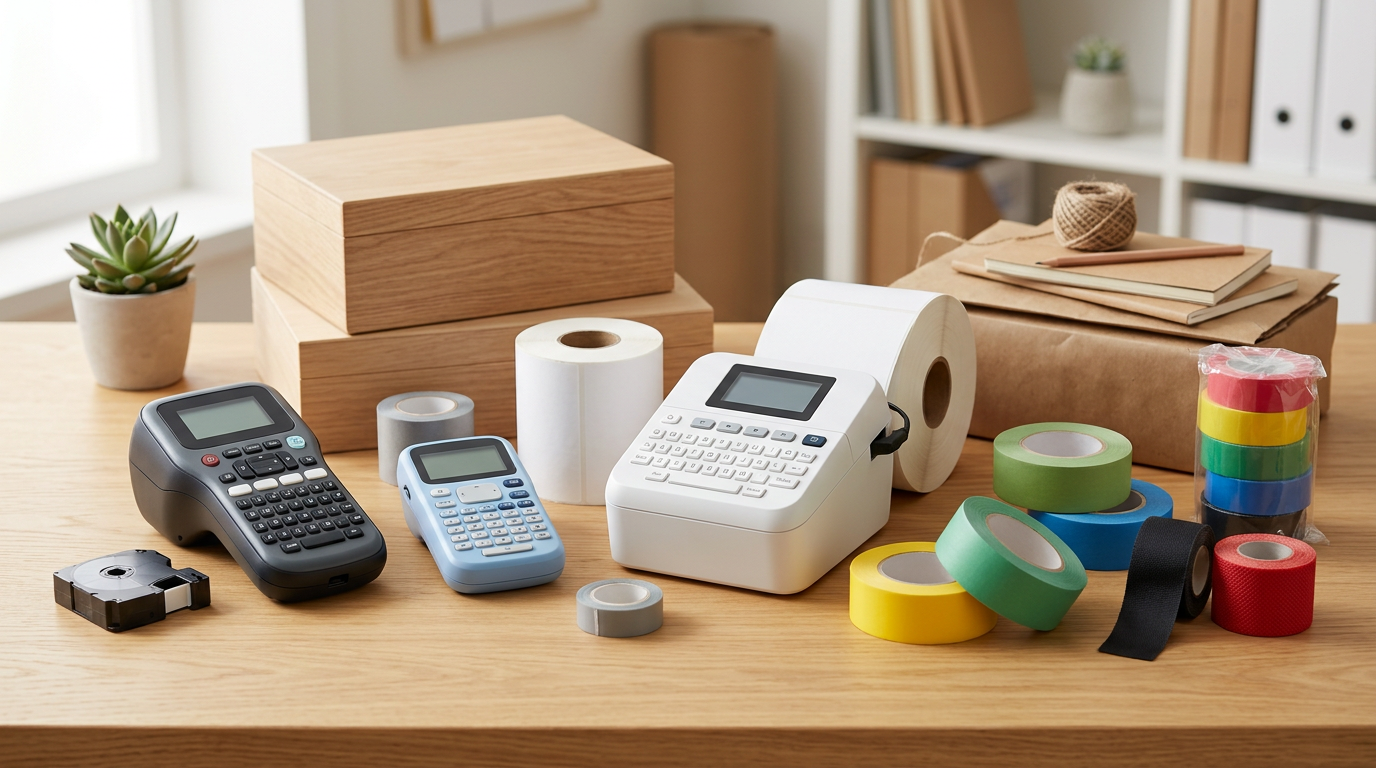
- There are manual, electronic handheld, desktop, and PC-connected models, each with specific applications.
- The choice depends on volume needs, label type, customization, and connectivity.
- Dymo labels are distinguished by their durability, resistance, and variety of materials and adhesives.
- Their use ranges from home organization to asset management and industrial signage.
What is a Dymo Label Maker and why is it relevant?
Types of Dymo Label Makers: Find the Ideal One
1. Manual Label Makers (Embossing)
- Operation: A dial is turned to select the letter or symbol, and a lever is pressed.
- Labels: Durable plastic tapes with embossed characters, typically 9 mm wide.
- Advantages: Robust, economical, require no additional consumables (ink/toner), ideal for sporadic use and for a retro or industrial style.
- Disadvantages: Limited text options (only capitals, numbers, and basic symbols), do not allow for font or graphic customization.
- Typical Uses: Home organization, crafts, object identification in workshops, tool marking.
2. Portable Electronic Label Makers
- Operation: Text is typed on the keyboard, displayed on the screen, and printed with a button.
- Labels: Use thermal tape cartridges that integrate the labeling tape and the ink ribbon. Variety of widths (6 mm to 19 mm) and colors.
- Advantages: Greater variety of fonts and sizes, possibility of adding frames, simple graphic symbols, memory for saving frequent labels, automatic or manual cutting. Portability.
- Disadvantages: Require batteries and consumables (tape cartridges).
- Typical Uses: Office (binders, cables), home (pantry, toys), small businesses (price marking, inventory identification).
Label Durability
Dymo labels, especially the laminated ones, are designed to resist abrasion, water, sunlight, and extreme temperatures, making them ideal for a wide range of indoor and outdoor applications.
3. PC-Connected Desktop Label Makers
- Operation: Labels are designed in the PC software, which offers advanced customization tools, and then sent to print.
- Labels: Use rolls of die-cut labels (individually pre-cut labels) or continuous tapes, thermally printed.
- Advantages: Maximum customization (system fonts, complex graphics, barcodes, QR codes, databases), volume printing, high speed, integration with other programs.
- Disadvantages: Less portable, require a PC to function, higher initial investment.
- Typical Uses: Shipping management, advanced archiving, asset identification, address label printing, product labels, visitor badges.
- Ease of UseMost models are designed to be intuitive.
- DurabilityLabels resistant to water, UV light, and chemicals.
- VersatilityWide range of tape sizes and materials.
- EfficiencyFast and instant label printing.
Key Features to Consider When Choosing a Dymo Label Maker
Printing Technology
- Embossing: Engraved characters, no ink. For a vintage look or rugged environments. These are an excellent option for identifying tools in workshops or items that require high physical abrasion resistance without relying on ink permanence.
- Direct Thermal: Uses no ink. The thermal print head heats special label paper, creating the text. It's fast and economical, but labels can fade over time or with exposure to heat/intense sunlight. Ideal for address labels, shipping, or temporary use. Direct thermal labels are optimal for short-term packaging or receipts.
- Thermal Transfer: Uses an ink ribbon that is transferred to the label by heat. Offers labels with greater durability, resistance to abrasion and chemicals. More expensive, but ideal for asset labels, long-term inventory, or industrial environments where legibility must endure adverse conditions (extreme temperatures, humidity, contact with solvents).
Consumables (Tapes and Rolls)
- Tape Widths: From 6 mm for cable identification to 104 mm for shipping labels or large container signage in warehouses.
- Materials:
- Standard Plastic: For general use, good indoor durability.
- Flexible Nylon: Ideal for curved surfaces, cables, tubes, facilitating adhesion without wrinkles.
- Iron-on Fabric: For clothing or textiles, allowing identification of uniforms or workwear.
- Permanent: Extra-strong adhesive designed for difficult or textured surfaces, such as rough wood or slightly oxidized metal, ensuring the label does not detach.
- Removable: For temporary labels that leave no residue, ideal for loaned objects or storage boxes with variable content.
- Chemical Resistant: Made with materials that withstand exposure to solvents, oils, and other chemicals, essential in laboratories, chemical industries, or mechanical workshops.
- Metallic: For a premium look, high-visibility signage, or special barcodes requiring specific contrast.
- Colors: Wide range of tape background colors and print colors, allowing for color-coding or brand personalization.
Adhesive Quality
Dymo labels typically feature high-quality adhesives that ensure durable attachment to various surfaces, including plastic, metal, wood, and glass, without easily peeling off, even in environments with vibration or temperature fluctuations.
Additional Features
- Keyboard and Screen: The quality of the keyboard (QWERTY vs. ABC) and the size/backlighting of the LCD screen influence ease of use and visibility in different lighting conditions.
- Automatic Cutter: Some desktop printers and industrial models offer an automatic cutter that separates labels after printing, optimizing time and effort for large volumes.
- Connectivity: USB for PC connection, Wi-Fi for network printing (ideal for sharing the printer in an office or warehouse), Bluetooth for mobile devices (to print from smartphones or tablets at the point of use).
- Editing Functions: Memory for frequent labels, sequential numbering (useful for inventory or serial management), vertical printing, multiple lines, auto-formatting, barcode printing (in advanced models, including 1D and 2D like QR).
- Power: Batteries (AA/AAA), rechargeable battery (for greater autonomy and portability), power adapter (for stationary use).